UPDATE 3: Check out the .NET wrapper now included with Awesomium!
UPDATE 2: New version available for .NET / WPF 4.0 here!
UPDATE: Source code available! See post here. Fixed keyboard / Javascript bug :) Added some sample pixel shader effects! (including HatchingEffect by Charles Bissonnette). If you need Awesomium_d.dll (for debug builds) you can get it here.
Being able to render and interact with webpages within WPF opens up some great opportunities. While WPF already includes a WebBrowser, it’s just a wrapper around IE’s ActiveX control. Unfortunately this prevents it playing nicely with WPF’s layout system 😦
Mixing Google’s Chromium project, a great wrapper called Awesomium and a little WPF pixie dust, we finally have one 🙂 :
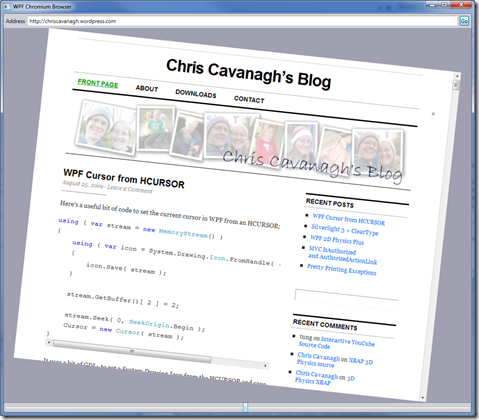
You can try the ClickOnce application here. Source is available on CodePlex (discussed here). You should find it works great with Flash and Silverlight (assuming plug-ins already installed) but currently it might choke on XBAPs and Java applets.
If you prefer to run the binaries locally, you can get them here 🙂

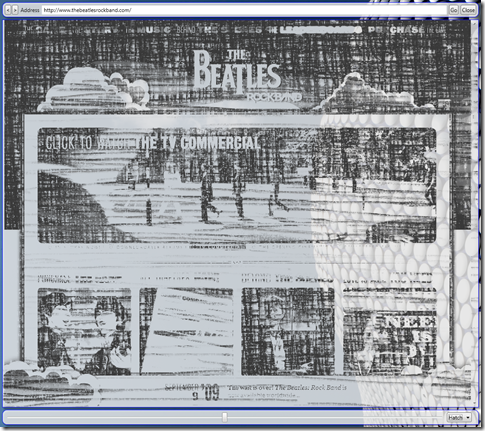
For more examples, and an important note about VS2010, be sure to check out Sacha Barber’s related post.
For more fun, have a look at YouCube 3!

 Chris Cavanagh's Blog
Code, immediately.
Very wicked!!!
I like this a lot. Would love to get this on codeplex and help you build it up. This is awesome.
[…] Contact ← A Real WPF WebBrowser […]
Definitly, you’re the best 🙂
.. Hmm.. And.. Are you going to port Flash to WPF, too, so that we can go Youtube ? 🙂
Arg.. And we can EVEN go Youtube (if the Flash plug in is installed in Chrome !)!
That’s insane !
[…] d’info sur le site de Chris Cavanagh ou sur le codeplex de WPF […]
Thank you guys for sharing this. This is awesome!
Roland – Yep, Silverlight works pretty well too 🙂 It chokes on XBAPs right now, but 2 out of 3 ain’t bad 😀
[…] View original here: A Real WPF WebBrowser « Chris Cavanagh's Blog […]
[…] Cursor from HCURSOR and A Real WPF WebBrowser and WPF Chromium WebBrowser source code! (Chris […]
Very nice. Had wondered about a WPF browser myself.
Performance seems decent. Any thoughts on that?
Is is possible WPF could be better than GDI (or whatever firefox/chrome use natively) for browser rendering?
I think the D3DImage might yield even better performance vs. the WB. If I had time, I’d like to give it a go!
Jack / Jerimiah – I’ve been impressed with the WriteableBitmap performance. I toyed with using RTB but gave up pretty quickly (sorry J! My first attempt failed so I wussed out)… maybe WPF will eventually get Silverlight’s Raw AV 😉
[…] A Real WPF WebBrowser – Chris Cavanagh has been at work combining the Chromium and Awesomium projects with some WPF to create a fully functional WPF based web browser allowing you to have a web browser component in WPF applications which behaves well in the WPF layout system. Source is available on CodePlex, and there is a ClickOnce demo too. […]
Is there any way to access and manipulate the DOM?
Jason – Yes there is, but I’ve not looked in much detail at it yet. Awesomium has a mechanism for passing objects to the browser and calling Javascript methods. I’ve not exposed those on my wrapper yet, but probably will do soon 🙂
Chris, excellent work, looking forward to any updates…
So this doesn’t have the Airspace issues that the IE WebBrowser control has? That’s awesome!
Paul – Right; it’s using a couple unmanaged DLLs, but they render directly to memory (and eventually a WriteableBitmap). Be sure to try it with Flash & Silverlight content too… 🙂
It’s great work!
It is very fast and works with Flash and Silverlight.
However, some Silverlight apps using WebClient(by HTTP Post or Get) at Application_Initialize procedure may not work well.
Downloading Xap file succeeds but it may not work fully.
ivoryguard – I’ve noticed the same thing about WebClient (http://www.chriscavanagh.com/chris/SilverGlulxe/SilverGlulxeTestPage.aspx)… I’d assume SL3 apps that use the native networking stack instead would be ok. There’s a new release of Awesomium due soon; maybe it’ll improve things 🙂
Good collection
see this blogs. I liked this blog, it has lots of
nice articles
http://aspnetcsharp4.blogspot.com/
There is error:
Cannot create instance of ‘WebBrowser’ defined in assembly ‘Cjc.ChromiumBrowser, Version=1.0.0.0, Culture=neutral, PublicKeyToken=null’. Exception has been thrown by the target of an invocation. Error at object ‘grid’ in markup file ‘Cjc.ThreeDeemium;component/window1.xaml’ Line 19 Position 10.
can you help me?
tung – Are you hitting a breakpoint, or is this happening with the ClickOnce demo? It’d be great if you could get me the InnerException…. Thanks!
Hi Chris Cavanagh
i’m download your program from
http://wpfchromium.codeplex.com/
This is InnerException
Visual Studio Debugger
Troubleshooting Exceptions: System.Reflection.TargetInvocationException
The exception that is thrown by methods invoked through reflection.
thanks.
tung – Could you send me a screenshot of the Exception helper? Make sure the native DLLs are present in the current folder at runtime (debug or release) – they won’t automatically be pulled in like regular assemblies.
I also downloaded the source code on Aug. 31, and I found that there was a missing file in the browser project (Awesomium_d.dll). That is the debug version for Awesomium. If you change to the Release version on the .NET solution/projects, everything runs.
BobTLO – Good point. Awesomium_d.dll is around 50MB so it wasn’t practical to put that on Codeplex. You could build it yourself if you have all the Awesomium and Chromium source. Alternatively you could just dig around online until you find the latest pre-built DLLs:
1) Download 3rd.zip.001 – 003 here: http://forum.quest3d.com/index.php?topic=67161.45
2) Merge them into one zip:
copy /b 3rd.zip.001 + 3rd.zip.002 + 3rd.zip.003 3rd.zip
3) That should have everything you need 🙂 (sorry it’s a hack; hopefully the situation will improve soon).
Hi Chris Cavanagh
I’m download and paste it in Debug and it run.
Thanks for help me.
First i think Awesomium_d.dll file not important so i was delete it.
BobTLO – Thanks your imformation
Hi Chris,
I’m about to try this component. I think it’s interesting and I think you have done a great job to find other solution beside using the webbrowser control. It’s pretty annoying, blocking the view of other wpf controls such as drop down menu, etc.
I just download the source code (wpfchromium-27825.zip). and i saw that beside the awesomium_d.dll is missing. there are others that missing too: app.config and DeleteMe.cs. can i delete those missing files from the project or we need them too just like the awesomium_d.dll?
btw, will this component work under xbap partial trust?
thanks.
j3nonk – Thanks for pointing those files out. I’ve removed DeleteMe.cs and added app.config to SVN. You’ll need to get Awesomium_d.dll elsewhere (see below); you only need that to run a debug build:
1) Download 3rd.zip.001 – 003 here: http://forum.quest3d.com/index.php?topic=67161.45
2) Merge them into one zip:
copy /b 3rd.zip.001 + 3rd.zip.002 + 3rd.zip.003 3rd.zip
It’s likely it’ll need full trust because it’s running native code. If deploying a certificate is an option, this might help: http://blogs.microsoft.co.il/blogs/maxim/archive/2008/03/05/wpf-xbap-as-full-trust-application.aspx
Hope this helps!
Hi Chris,
It work. thanks for your support.
But, there is a problem in the design view.
When i open Window1.xaml, the design view can’t be displayed. Problem loading, the error is: Could not create an instance of type ‘WebBrowser’.
Am i missing something?
Thanks.
j3nonk – It’s probably the missing Awesomium_d.dll; you should place it somewhere Visual Studio can find it…
Meanwhile I’ll look into making the WebBrowser control behave better on a design surface.
hi Chris Cavanagh
i built your program in VSS2008 and run it ok
but when i bring it to other computer and turn on it can’t run, when i run it,the program close automatic.
but when i setup VSS2008 in that computer and run program again, it ok.
i don’t understand. you can help me.
thanks.
tung – Can you confirm all the required DLLs are in the working directory, and that the machine has .NET 3.5 SP1 installed?
Try opening the ClickOnce app on this page. It should install any prerequisites. You can easily create a ClickOnce install for your own project too (remember to make sure the Awesomium.dll and icudt38.dll files are included in the deployment).
hi Chris Cavanagh , my programe was built on .NET 3.5 SP1, use WPF. webbrower is a one of screen of programe.
when i click to open web form it turn of that form.
(include Awesomium.dll, Awesomium_d.dll and icudt38.dll )
but i install VSS2008 it run normal. i try to many computer and result the same.
and this is error :
EventType : clr20r3 P1 : web.exe P2 : 1.0.0.0 P3 : 4aa1c9ec
P4 : presentationframework P5 : 3.0.0.0 P6 : 488f142e P7 : 6259
P8 : e1 P9 : system.windows.markup.xamlparse
and your program http://www.chriscavanagh.com/chris/Cjc.ThreeDeemium/Cjc.ChromiumBrowserDemo.zip, it ok
tung – The zip is probably outdated a bit… sounds like I introduced a new bug 🙂 Also your error log says xamlparse; I’ll go have a closer look at the xaml…
tung – Are you on an x64 OS, and does the app crash as soon as you run it? If you set “break on all exceptions” in VS, does it catch anything while running or closing the app?
tung – Sorry, I misread your comment. Can you send me your VS project? (or exe I can run). Try attaching to the DispatcherUnhandledException event (in your App class) and see if that catches anything.
It could be there’s an exception being thrown on another thread and not caught… By default that would shut down your app; instead you can catch it and then pass the error to the main/UI thread.
Also make sure if you’re responding to any events raised by the WebBrowser control, use the Dispatcher if you indend to update the UI (I’ll probably change my WebBrowser control to do this itself).
Chris Cavanagh – my os 32bit,
does the app crash as soon as you run it- yes
when i try catch:
try
{
InitializeComponent();
}
catch (Exception e)
{
MessageBox.Show(e.Message.ToString());
}
in xaml:
there a message :
Cannot create instance of ‘WebBrowser’ defined in assembly ‘Cjc.ChromiumBrowser, Version=1.0.0.0, Culture=neutral, PublicKeyToken=null’. Exception has been thrown by the target of an invocation. Error at object ‘grid’ in markup file ‘Cjc.ThreeDeemium;component/window1.xaml’
but i include (Awesomium.dll, Awesomium_d.dll and icudt38.dll ) in project and debug
and final: when i install VSS2008 for debug it run ok. other computer no install vss2008 only .net 3.5sp1 error appear
sorry in xaml file :
tung – You can mail me at tung @ chriscavanagh.com
The program is too big i can’t attach mail so i upload to mediafire : http://www.mediafire.com/?sharekey=fb84d2074b92949b6e7203eb87368129e04e75f6e8ebb871
thanks
[…] Web.Config Files (VS 2010 and .NET 4.0 Series) – ScottGu's Blog Fun With Method Missing and C# 4 A Real WPF WebBrowser « Chris Cavanagh’s Blog Silverlight Spy 3 updated : First Floor Software Fluent NHibernate 1.0 Released – Convention over […]
I ran into problems that seem to be similar to what tung is facing. I had to download the awesomium_d.dll, and ensure it was put in the right place, then I ran into the cannot create an instance of WebBrowser issue.
I traced the problem back to the source code and found that it had to do (at least in my case) with a line of code in the file Cjc.ChromiumBrowser.WebBrowser.cs.
There is a line where ‘bitmap’ is set equal to a new WriteableBitmap with (width, height, 96, 96, pixelFormat, null) being passed into the constructor. I found that when height and width were zero an error was thrown and the program crashed.
To remedy this all one has to do is set the height and width in the xaml file, something I had not been doing previously.
This seems like a quick and dirty solution, as there should be a way to make it fill the grid/tab/whatever control element it is placed in. I’m pretty new to xaml so that is the only solution I’ve come up with so far.
Scott_T – Thanks for the feedback! Looks like I forgot to check some changes in 😦 Here’s the update: http://wpfchromium.codeplex.com/SourceControl/changeset/view/28389#413984.
Let me know if any other problems 🙂
Hi Chris, i’m writing a wpf application to display several media contents at time and i tried your work.
However i get 2 errors using multiple browser instances + flash on the same form.
1) webView.LoadURL(); / .LoadHtml(): I wrap an swf into htm… using the first and opening the html file it works, else it creates only the first swf instance.
2) Opening the same swf file 2 times application crashes without any error hint.
Any idea about this?
thanks
Davide – I’ve noticed a couple of odd things in another demo (https://chriscavanagh.wordpress.com/2009/08/27/wpf-3d-chromium-browser/); it seems if more than one page has Flash content, it’ll stop updating unless the mouse is directly over it (not something I’m doing). It doesn’t crash though; which urls are you testing with?
Il seems not to be a mouse fault. Pages always perform rendering. I tried several links, you can try http://www.macloo.com/examples/flash/animation/index.htm
You can get a built test form for my app at http://www.prenassi.it/sysdata/MSC_Release.rar (just put a link and click “Crea timeline” twice)
[…] and a WPF. The source code is also available – so makes for some nice reading Original link Share this post […]
Hi Chris,
Is there any way to use a html string as input to the control – like WebBrowser.NavigateToString ?
Cheers,
Wayne
wayne – If you look at the underlying Cjc.AwesomiumWrapper, you can call LoadFile, LoadURL or LoadHTML. I only exposed the LoadURL so far (as Navigate) but it’d be easy to extend… (I’ll probably modify the WebBrowser control, but you could grab the source and add it if you prefer).
Davide – I tried your app and had around 4 browsers running before it died… Can you get a call stack and paste it here?
If it’s in the Managed C++ (or worse, native C++) I’ll probably go get the Awesomium & Chromium source and take a closer look (I was lazy and used prebuilt binaries so far).
hi Chris Cavanagh : i’m find cause, but i don’t know why.
When i copy your dll Cjc.AwesomiumWrapper.dll to my project and bring it to other computer int run ok.
i compare two dll your size is 122368, and my size 138752, can you suguest anything?
tung – Could you email me both DLLs? If you add an assembly reference to Cjc.AwesomiumWrapper.dll to your project (instead of the project reference) does it all behave correctly?
Are you compiling a release or debug build?
I looked at the project you sent; currently Cjc.AwesomiumWrapper isn’t set to build (in Configuration Manager)… Is this deliberate?
Ooooh my F god!!!! This is smokin’ hot!!!
Sorry Chris. No call stack… VS 2008 is unable to catch the failure. vshost is killed by system and application quits. No way to debug and disassembly doesn’t help.
I’ll let you know…
Davide – Check your Application event log (can’t remember if WPF logs unhandled exceptions by default or not). Failing that, try attaching an unhandled exception handler to the AppDomain (http://msdn.microsoft.com/en-us/library/system.appdomain.unhandledexception.aspx)… You might not be able to prevent the app exiting, but maybe can get an EventLog.Write or something in there…
Myapp has already an UnhandledException Handler but it doesn’t catch anything. System Event log only says “appcrash” no more details. The solution finder on vista suggest me there’s a flash plugin problem.
Maybe i can wait until the awesomium.dll 1.5 🙂
Hi Chris Cavanagh , this is dll my project
i add your dll to assembly reference but not success.
http://www.mediafire.com/download.php?qmtymd5dfyj
Hi Chris,
Great example and am having fun with the code at the minute.
However, I am having a problem with shortcut keys i.e. the control does not seem to recognise ctrl+(+) to zoom in on the content.
It would be really cool if the control supported this Chrome feature.
Can this be done by tweaking your example, or does it go deeper into the awesonium library?
Conor.
Conor – Awesomium exposes a few methods like Zoom, Copy, Paste etc. Curretly they’re not visible through my wrapper, but obviously they’d be easy to add. You’d just need to attach your own KeyDown/KeyUp handlers to call them 🙂
Cheers Chris, sounds like a plan.
Keep up the good work.
Greate application, but it could not run Deep zoom site, normal silverlight sites are OK, do you know why?
Tai – It seems Silverlight apps that use WebClient have some issues. I’m assuming it’s related to SL2 always using the browser’s HTTP stack (apps using SL3’s own networking might fare better: http://blogs.msdn.com/silverlight_sdk/archive/2009/08/12/new-networking-stack-in-silverlight-3.aspx). I’ll kick it around and update here if I find anything 🙂
Hi!
Great job, Chris!
I was starting to write a WPF Chromium wrapper for my MS thesis, when I found your project and Awesomium: thank you!!
I’m trying to embed the WebControl in a WPF touchscreen interface. In order to let the user easily scroll a web page, it would be better to use a re-styled scroll-bar instead of the standard one.
Is there a way to do that with WPF styling on your control? I already tried to override the standard styles, and also to disable the scrollbars, but it doesn’t work… Are the scrollbars generated by Awesomium?
Gianni RG – Awesomium (or perhaps Chromium itself) generates the scrollbars, so right now we’re pretty restricted. At some point I’ll probably build Chromium from source (everything so far was from prebuilt Awesomium binaries) and see what level of control it offers. I’d assume it’s plenty, but I’ve not looked at any of their source yet… 🙂
Thank you for the reply!
I had supposed so… 😦
I’m a bit in a hurry with deadlines for my MS thesis, so I have no time to look at Chromium sources these days.
Anyway I think I will continue the WPF Touch Interface project after graduation, in order to include a full-touchable browser. If I discover something, I’ll let you know…
Gianni RG – Another option (actually a dirty hack) would be to hand Awesomium an oversize bitmap that could fit “any” page height… As long as AllowAsyncRendering=false, calling WebView’s Render method should return you the area that was updated… Potentially you could initialize a Rect to 0,0 at the start of navigation, then stretch it to fit each successive render… Very very nasty hack, but it may be adequate in the (very) short-term…
Hi Chris,
I get the latest version of your code and now seems it works fine with multiple flash pages.
However there’s a weird thing… using moving animations it seems that mouse events are not handled properly.
You can get a demo on http://www.prenassi.it/sysdata/PlayerMSP.v1.rar there’s an example file to load and run. Often after animations browser loose interactive capabilities, if you try rightclick context menu appears in anomalous position.
P.S. I needed to put some “if(webView != null)” on AttachEventHandlers() delegates in WebBrowser.cs
Davide – Thanks for the update. I wasn’t able to get your exe to browse anything (I loaded the included XML file, but it didn’t appear to do anything). I’ll apply the fixes you suggested for the ( webView != null ) checks.
Fyi the browser right-click isn’t really supported (yet). AwesomiumWrapper just sends the mouse events to the browser; currently Chromium is displaying its own window so it’d be tricky to align that with the WPF content. We’d need to take a closer look at Chromium & Awesomium to figure out the best way to handle it.
Well, it’s in italian, you have to first open xml file then from menu >Azioni > Riproduci and it’will start 😛
Davide – Ah I tried that, but it popped up a dialog showing a NullReferenceException 😦 …:
Eccezione non gestita System.NullReferenceException: Object reference not set to an instance of an object.
at MediaSpreaderClient.Parser.XmlPalimpsestParser.ReadPalimpsestAttributes(XmlNode palimpsestNode, IPalimpsestWorkspace workspace, OperationQueue queue)
I’ve mailed a screenshot…
Hi,
Great job Chris! I am looking to get rid of the old browser component for months!!
One question though. Which .net framework your control depend on? 3.5?
My app is 3.0 SP1 and I would like to keep it this way if possible… Will your control work on 3.0?
Thanks
BenCause – The demo is built against 3.5SP1, but there’s a fair chance it’ll work with 3.0 too. First try using the Cjc.ChromiumBrowser in your 3.0 project and see if it likes it. If not, you might need to recompile Cjc.ChromiumBrowser (which might need some tweaks for 3.0, like removing LINQ statements or anonymous delegates). Cjc.AwesomiumWrapper should work without changes/compiling, but let me know if that’s not the case.
If you’re able to upgrade to 3.5, you’ll probably benefit from the WPF performance improvements that were made. How much are you tied to 3.0?
Hope this helps!
Thanks Chris! I will try that and get back to you.
About 3.0, it is more a commercial issue than a technical one. I am trying to minimize the size of the overall download and installation time for my users… If I could get rid of all dependencies to the framework I would but unfortunately Microsoft did not provide any linker.
If you have any ideas on how to optimize my deployment I would be glad to hear :-)!
Thanks
hi Chris Cavanagh , when i install Vietnamese Keyboard for Windows at http://www.unikey.org/ and type vietnammese in webbrower it not correct.
hi Chris.
I am trying to use your control in my app and getting the “Cannot create instance of ‘WebBrowser’ ” exception. I am running the application in release mode, so it shouldn’t be connected to the missing dll. when I run your demo – it works fine. when I use the dll for my app – it doesn’t initialize.
I checked and saw the crash happens in the static constructor, when the webCore is populated.
I guess I am missing something that you did, some property that must be initialized or something. can you help me to figure out what I am missing?
Thanks a lot
I found the inner exception saying “The specified module could not be found. (Exception from HRESULT: 0x8007007E)”. this is strange since I am running in release mode
mohoch – Make sure Awesomium.dll and icudt38.dll are in the same folder as your other binaries. They’re both native DLLs so won’t be searched for like .NET assemblies. Are you using the GAC?
Is there any chance you have dependencies of your own that might be missing? The Assembly Binding Log Viewer (http://msdn.microsoft.com/en-us/library/e74a18c4(VS.71,loband).aspx) might help find any other assembly issues…
Hope this helps!
Thanks Chris.
I had to move all dlls to the release directory of my application and now it works.
For the benefit of other developers I want to add that it is important to set the Source property of the browser before using it, or else you will get the “You need to pass a non-null String” exception.
Thanks again. this works great!
mohoch – Thanks for the comment; I’ll go fix that bug 🙂
Wow! thanks for the quick fix!
Chris, 2 more questions:
1. I tried playing YouTube videos in the RealBrowser and that worked fine. But when I try to display only the video player and not the full YouTube page, it doesn’t work – the window stays blank. I tried the URLs in regular Chrome browser and it worked fine so i am not missing any plugins. what do you think?
2. I did what you recommended in this thread and added the methods for LoadHTML and LoadFile, and that also works OK. But my app has to display UTF-8 characters, for different languages, and I saw that when I use these 2 methods the browser doesn’t respect that (with LoadURL it works fine). is there a possiblilty that the LoadHTML doesn’t support UTF-8?
mohoch:
1) I’ll look into it…
2) I’ve made some changes that *should* handle UTF8 ok, but haven’t tested it yet. If you try it (latest source on Codeplex) it’d be great if you could let me know if it works or not 🙂 Thanks!
Thanks Ill check it out.
I added these 2 methods in the WebBrowser class, just under the Navigate method
///
/// Displays a string as HTML in the browser
///
/// the HTML
public void LoadHtml(string html)
{
if (webView != null) webView.LoadHTML(html);
}
///
/// Reads an HTML file located on the local macine
///
/// the physical path of th file
public void LoadFile(string path)
{
if (webView != null) webView.LoadFile(path);
}
mohoch – I tested the UTF8 changes and they appear ok 🙂 Also added your LoadHtml & LoadFile methods.
Chris the latest version doesn’t compile. there is file missing – clix.h
mohoch – Sorry! File now added 🙂
Hi Chris.
Thanks for the fixes.
We are using the latest version and something weird happened – the links are not working any more. I will try to use the clix.h file with an older version and I will report to you tomorrow.
mohoch – Very odd… Here’s a few questions:
1) Is that in your own app or the WebBrowser demo I posted?
2) Do mouse events otherwise work as expected? (hovering over links highlights them etc)
3) If you tab through the links and hit enter, does it navigate?
4) Does this happen for every site?
Meanwhile I’ll check for anything I might’ve broken.
1. its in my app
2. not all events are working as expected. on hover the cursor not always getting the right style.
3. the Tab and Enter thing works sometimes, mainly for inputs and not for anchors
4. the one I tried all had the same problem
mohoch – Can you get the same thing to happen in the demo? (http://www.chriscavanagh.com/chris/Cjc.ThreeDeemium/publish.htm). Do you have any event handlers attached? (BeginNavigation etc). It could be I’ve “broken” some of the events… check you’re getting valid strings passed to handlers.
Do you have a sample project showing the problem that you could send me? (mohoch at chriscavanagh.com)
Hi.
Sent you the sample app.
I am using the “FinishLoading” event, but experiencing no problems.
hi Chris Cavanagh.
when i run your program(the last source) and open google page and type asia laguage ex: vietnamese, japanese, china and korean it not appear.
this is my image i capture
http://www.mediafire.com/imageview.php?quickkey=mn1dty54zje&thumb=4
you can see to help me, respectfully
tung – I’ll take a closer look and update here…
Hi Chris.
1. The link problem was solved when I removed the event handler for the “ReceiveTitle” event. maybe the event is broken as you said.
2. Does the browser support “target:_blank”? it doesn’t seem to work on my side. maybe there is a way to add it.
3. is there a way to cancel navigation after it starts?
4. I am trying now to add scrollbars on the container of the browser. the problem is that the browser always gets the size of the container itself. is there a way of making its width and height be the full width and height of the content?
mohoch:
1) I’ll take a closer look at the code…
2) It doesn’t support opening new windows; it’s likely Awesomium doesn’t expose that (yet; version 1.5 is due “soon”)
3) Not yet, but maybe with Awesomium 1.5… 😉
4) Again, Awesomium is handling this. I can think of a few hacks that might work (rendering to oversize image and using a ScrollViewer)… the difficulty is finding the rendered page size. Similar answer to (2) and (3) – Awesomium doesn’t currently expose it…
It’s looking like Awesomium 1.5 will be released Real Soon Now…
hi , i find a bug
when i input http://kr.yahoo.com/ and press some link the programe is interupt .
this is a image: http://www.mediafire.com/imageview.php?quickkey=zygzmdzn3mf&thumb=4
tung – Thanks! I tried it a few times with that url but couldn’t get it to crash 😦 Could you try it again (in Visual Studio; debug build) and see if you can get a stack trace? It’ll help me narrow down where the exception’s thrown. Thanks again!
hi Chris Cavanagh, thanks your postback
i try to debug in VSS but when i input http://kr.news.yahoo.com/ then program interupt i can’t do anything, i think that is a memory error when it loading advertising banner
this is a images
http://www.mediafire.com/imageview.php?quickkey=nkk2nzz2tii&thumb=4
http://www.mediafire.com/imageview.php?quickkey=hmmjmm0ikq5&thumb=4
i make a rectangle
tung – I’ll take a look at the code (will probably force some exceptions & improve handling). Does this happen with any size window, or only when it’s maximized or the scale slider is moved?
Could you try the same page inside NaviDemo? (http://princeofcode.com/blog/?tag=navidemo). It’s using Awesomium too, but it’s a native C++ app — it might help us localize the problem.
i’m writing a program in WPF
my program has a window webbrower and i use web control of VSS, it ok but my programme has a function rotate screen so webbrower also tranfrom
but it not support in VSS, so i search in google and find your programme , that bring me much attention.
but currently there are some errors that I do not know how handle. that is keyboard input and some site interrupt programme with any size windows.
you can give me any advice?
respectfully
Everything goes well…there is still one annoying thing..tooltips within the browser are always shown with the same orientation, regardless how the browser is rotated
Radu – Actually that’d be pretty easy to change if you wanted (and didn’t mind tweaking WebBrowser.cs a bit). It uses WPF’s regular Tooltip, but it’d be straightforward to change it to your own element (as a child of the WebBrowser it’d rotate/transform with it). Let me know if you need any help navigating the source code… 🙂
[…] A Real WPF WebBrowser […]
Hi,
You made an awesome work !!! Thank you very much for it !!! We can now have fun with the browser in WPF. This is priceless.
Unfortunately, I found a strange behavior with the DragonFly Autodesk’s website : http://dragonfly.labs.autodesk.com/#index=home
The site works well on Chrome, but when I test it with Cjc.ThreeDeemium, it stops at 100%.
Do you have any idea why it hangs on chromium and not on chrome ?
Thanks again for your work !!!
Hi
Thank you for your work!
How I can get current snapshot of WebBroswer control? Is it possible to catch it at 10-25 fps speed?
I want to capture it to video file… Have really good DirectShow experiense, now want to get frames from browser. With Flash that’s not possible with standard IE control.
Thank you!!!
Laurent – If you open the WPF browser as an app (from Start menu instead of ClickOnce from page) do you still get the same problem? (works for me from Start menu, but not browser)…
Roman – If you use the Cjc.AwesomiumWrapper assembly directly, you can ask it to render as often as you like. Let me know if you need more detail on how to use it.
Hi Chris
No, I want to use WebBrowser control, so, user must use it as real browser, click on links or Flash control buttons and so on.
So, I want to use WebBrowser and capture snapshots from it.
I checked console sample, but it’s doesn’t show how to do that with WebBrowser control.
Hey! Great work on gathering quite a few loose ends to get some real browser power into WPF. I have finally overcome some starter problems and I have one tiny question:
My test application will connect to a local server over HTTPS, this means I have a self-signed certificate that won’t automaticly be accepted by the browser. Connecting to a server with a real certificate loads the page just fine, but I get a white page on my localhost connection. Any ideas about where to start looking in your code, awesomium or chromium? Any helpers would be much apreciated.
Chris, I’m using RenderTargetBitmap to get frames now but not sure that it can provide required speed for video capture… Maybe your wrapper can provide better/correct way?
Hello Chris,
I’ve tried the install from this page : http://www.chriscavanagh.com/chris/Cjc.ThreeDeemium/publish.htm
If I start from web browser or from the start menu, when I click on the Get Started button, it loads until 100% is displayed, then, after 3 seconds, the inner part of the window gets black, and the mouse cursor shape change to the “busy” animation (the animated blue circle of Vista).
I’ve updated the source code from codeplex, build it, then tried the Cjc.Chromium, and it still hangs….
I’ve paused the execution, and I noticed that the browser is stopped at the following method : in the AwesomiumWrapper.h file, WebView class, method : Render, line of code 424 : Rect^ result = gcnew Rect();
It also works on google chrome v. 3.0.195.27.
Do you have any idea of what happens ?
Thanks in advance,
Laurent.
Roman – Have you tried WriteableBitmap? That’s what the WebBrowser control uses internally (might expose it as a property too as I recall). Create the WriteableBitmap once (resize it as your window/container resizes) and just let AwesomiumWrapper write to it. Awesomium is fairly efficient in only updating the “changed” parts of the bitmap (use the Rect that Render returns to determine where to update).
Laurent – How large is the window you’re using? Do most other Flash sites you’ve tried work ok?
Hi Chris
Thank you!
Can you give me small sample of WriteableBitmap usage with WebBrowser control?
Hi,
Everything work well but it without proxy setting.
Thank you.
Hi Chris,
the language asia can’t input in webbrowser, can you tell me how does it fix.
i input korean language ex: 화ㅂㅈ댁셔 ㅎㄴ앟 ㅘㄱ샐 인뎋
but it does not appear (i type in google site).
Hi Chirs, in http://code.google.com/p/chromiumembedded/downloads/list
this project write by VC++ and use input keyboard icudt42.dll and i can input my korean language, that is reason, is isn’t it.
The Awesomium_d.zip download link doesn’t work 😦
So i zoom in, and text, buttons, and scrollbars get fuzzy. Is it not a WPF-based browser?
Ian – It’s a WPF control wrapping a C++ library (Awesomium + Chromium). Currently scrollbars are rendered by the C++ as part of the bitmap (based on the size constraints given). If Awesomium could tell us its current virtual page size we could size a bitmap appropriately and do the scrolling in WPF instead. I’ve mailed Awesomium’s author to see if this could be added.
Ronny – My bad 🙂 I’ve updated the link in the article to this one:
http://www.chriscavanagh.com/chris/Cjc.ThreeDeemium/Awesomium_d.zip
Thanks 🙂
Hi Chris
Can you give me small sample of WriteableBitmap usage with WebBrowser control (to get snapshots)?
Roman – Sorry for my slow reply… I’ve added a “ContentChanged” event to the WebBrowser control, and also exposed “Bitmap” as a read-only DependencyProperty. The updated source is on CodePlex but I’ve not tested it at all, so looks like you’re now a beta tester 😉
If you use the ContentChanged event, ContentChangedEventArgs includes a Rect property describing the updated region (or the entire region if EnableAsyncRendering=true).
Let me know if it helps! 🙂
Roman – You’ll still need to figure out how to get the content from the WriteableBitmap, but that should be pretty straightforward.
Another way to capture the browser image is with RenderTargetBitmap. Just create one and call its Render method, passing it the WebBrowser control. However using the new Bitmap property should be more efficient 🙂
Thanks! I will check it soon!
Ho Chris,
this is just awesome 🙂
I am just embedding Chromium in my next release of my client for Google Reader (as the frame control is just a mess…).
I am curious if the embedded DLLs in your example app are the most current ones? If not could you provide them as a compiled download as my VS Express is unable to compile mixed C++ and C# 😦
With the DLLs I am currently using I stumbled across a strange error – everything seems to be fine – I am able to render anything I like, follow links by clicking on them and so on. But if I double click anywhere with the control it crashes my app – any idea…?
Can’t believe how fast Chromium is – seems I need to change my default browser now 😉
Sven – Those are the latest binaries we can currently get. However, Awesomium 1.5 is due imminently (and has been for some time 😉 ) so hopefully that’ll improve things.
As for double-clicking, I shamefully admit I’ve never tried double-clicking my control 🙂 I’ll go kick it around and see if it’s something I can fix 🙂
Wow – what a fast response 🙂
DoubleClicking in your example app is no problem – it just happens to crash in my one in this case
Sven – Hmm… Can you get a stack trace from the crash & send / paste it me?
Strange enough there is no stacktrace even if I start it in debugging – I just get the Winsows “vhost.exe has stopped working” alert and then it simply ends. But I have some data in the EventLog I put at the end of this comment. Additionally I am just uploading my full project right now to Codeplex so if you want you can see it live in a few minutes at http://desktopgooglereader.codeplex.com/SourceControl/ListDownloadableCommits.aspx …
Event Log:
Faulting application name: DesktopGoogleReader.vshost.exe, version: 9.0.30729.1, time stamp: 0x488f1c9b
Faulting module name: Awesomium.dll, version: 0.0.0.0, time stamp: 0x4a0e61b7
Exception code: 0xc0000005
Fault offset: 0x001fba5f
Faulting process id: 0xc34
Faulting application start time: 0x01ca5f19eb29e751
Faulting application path: C:\Users\Sven\Documents\Development\Desktop Google Reader\DesktopGoogleReader\bin\Debug\DesktopGoogleReader.vshost.exe
Faulting module path: C:\Users\Sven\Documents\Development\Desktop Google Reader\DesktopGoogleReader\bin\Debug\Awesomium.dll
Report Id: 5f8fa3cb-cb0d-11de-8a04-00164192cd67
*******************************
Fault bucket , type 0
Event Name: APPCRASH
Response: Not available
Cab Id: 0
Problem signature:
P1: DesktopGoogleReader.vshost.exe
P2: 9.0.30729.1
P3: 488f1c9b
P4: Awesomium.dll
P5: 0.0.0.0
P6: 4a0e61b7
P7: c0000005
P8: 001fba5f
P9:
P10:
Project now uploaded to http://desktopgooglereader.codeplex.com/SourceControl/ListDownloadableCommits.aspx – if you have a Google Reader account you could login, change within the preferences to use Chromium (please login first – just fixed a bug there after upload) and play a little bit in the content area – I normally get crashes quite fast when reading full articles and double (or more) clicking in the Browser.
If you like you can get me at Google Talk with PidginSnarl@googlemail.com 🙂
Hi
mmm, why new Bitmap property is null? Am I need to specify another property or catch event or something like it?
Roman – I’ve still not tested it :$ But it’s likely Bitmap will be null until the first render happens… Try attaching to the ContentChanged event and see if Bitmap is non-null by then…
Thanks, I’ll try.
You did great job..
But here are the things that you may want to consider..
Awesomium is no longer open source. The author of Awesomium wrote about this in this post http://princeofcode.com/blog/?p=267.
But according to the comment of this post, he said that old version of his library will remain under LGPL (No commercial )..
future release started from 1.5 might not be free.
Good luck,
Yeah, that is a bummer. Because of this, I’ve had to steer clear of Awesomium because the price is ridiculous ($2900).
Hm, LGPL for older version is not so bad. Maybe somebody will continue this open-source work.
Michael, Roman – Adam’s made a few comments lately about Awesomium licensing. We’ll need to see how it pans out. At least what we have already is “ok” for most non-commercial stuff (obviously it’ll fall behind as Chromium/Awesomium evolves). For more serious stuff you’d probably want a license anyway. Alternatively someone could take the most recent [Awesomium] LGPL source and bring it up to date with Chromium, then maintain it as a separate project. I’d be happy to keep this WebBrowser up-to-date with that; we just need someone to volunteer for the C++ stuff 😉 (I’ve served my time already; happily a hazy memory).
Commercial license is ok, I just worried about your wrapper future. I hope it’ll support latest awesomium features and so on.
Hi Chris
Sorry, but Bitmap property always null, I do not understood how to fix it. Please give me small sample with Bitmap correct usage or something like it.
Actually, what I think is that somone bring most recent [Awesomium] LGPL source and port it the managed code.
so, it allows a lot of .NET developers to contribute the project.
Hi, could you perhaps post a compiled version of the latest release of the wrapper and browser on Plex? I’m having a hell of a time trying to compile the C++ stuff, would be much appreciated, thanks!
Michael – We should look into that… Any volunteers? 🙂
Mattias – Did you try the zipped binaries?
http://www.chriscavanagh.com/chris/Cjc.ThreeDeemium/Cjc.ChromiumBrowserDemo.zip
You can get Awesomium_d.dll (needed for debug build) from here:
http://www.chriscavanagh.com/chris/Cjc.ThreeDeemium/Awesomium_d.zip
That should be everything you need…
Awesome, thanks! This control really opens up some interesting possibilities.
Hello. Thanks for a great app, nice to not be restricted to IE for internal app web browsing.
Is there any methode to capture the html \ stream of the webpage after it has been loaded?
Fredrik – The AwesomiumWrapper has a GetContentAsText method which wasn’t previously exposed on WebBrowser. Now it is (check CodePlex) 🙂
Roman – Sorry 😦 The Bitmap property is now assigned correctly (latest on CodePlex) 🙂
Chris, how I can contribute some code? I wrote update that allow me to get current image as byte[] without memory copiing…
Thanks a bunch Chris!
Great work Chris – I really love having the option to use Chromium instead of IE within my Google Reader. Did you have time to have a look in my DoubleClick problem?
And could you upload the compiled anywhere as I only have VS Express and can’t compile cross language projects (C++ *or* C#).
Once again thanks – planning to release my first official version with your WebBrowser included tomorrow 🙂
Roman – If you send me a CodePlex username I’ll add you as a developer 🙂
Sven – Sorry for my slow reply. Your Google Reader is awesome 🙂 I installed it and get the same double-click problem. I’ll try running it from source and see if I can narrow down the problem…
username is geneziz
[…] an updated version of YouCube (WPF 3D Web Browser) available based on my Awesomium / Chromium control. Try it […]
Great work Chris!
Are there equivalents of InvokeScript and ObjectForScripting for working with the HTML?
Thanks, Meekal
Meekal – The ExecuteJavascript*, SetProperty and SetCallback methods on the WebBrowser control should be of use: http://wpfchromium.codeplex.com/SourceControl/changeset/view/34570#413984
Hope this helps!
Thanks for getting back to me, Chris. But, I cant seem to get it to work.
I take it the comments box doesn’t allow markup/scripts, so I put up my sample code at
http://www.cc.gatech.edu/~meekal/comment.txt
I would really appreciate it if you could take a look. Thanks!
Any way to emulate mouse click on any area of browser? Browser control can be on background tab…
Meekal – Sorry for my slow reply; I’ll take a look. Are you using binaries from the ClickOnce deployment or have you rebuilt the WebBrowser from source? The source includes several fixes to the ExecuteJavascript functionality that are probably missing from the current binaries…
Roman – If you’ve got the WebBrowser source, you could pretty easily extend it to submit your own mouse events. Let me know if you need some help or guidance with it.
Really, I need start point, I’m still newbie in WPF, i think I can use RaiseEvent or something like it.
I can click using some other ways, but can’t emulate mouse moving, enter/leave and so on.
Any ideas Chris?
Roman – Have you tried calling the WebView’s InjectMouseMove / Down / Up methods? (in the WebBrowser control source; not currently exposed publicly).
Thanks! Works perfect! Please add this methods as public to WebBrowser control in the future….
Hi
Any way to move horizontal/vertical scrollbars in code? Or it’s UIElement specific feature, not Browser control unmanaged thing?
Roman – I think the only way to achieve this currently is to render to an oversized bitmap, then use WPF to handle scrolling (with a ScrollViewer)…
Hi again,
could you give me / us a 32 and 64 Bit dll as I would like to deliever my Google Reader for “Any CPU”. When referencing your Wrapper I get
Referenced assembly ‘Cjc.AwesomiumWrapper.dll’ targets a different processor than the application.
And starting on a Windows 7 with 64 Bit causes
Cannot create instance of ‘WebBrowser’ defined in assembly ‘Cjc.ChromiumBrowser, Version=1.0.0.0, Culture=neutral, PublicKeyToken=null’. Exception has been thrown by the target of an invocation. Error at object ‘BorderChromium’ in markup file ‘DesktopGoogleReader;component/uielements/mainwindow.xaml’.
at System.Windows.Markup.XamlParseException.ThrowException(String message, Exception innerException, Int32 lineNumber, Int32 linePosition, Uri baseUri, XamlObjectIds currentXamlObjectIds, XamlObjectIds contextXamlObjectIds, Type objectType)
at System.Windows.Markup.XamlParseException.ThrowException(ParserContext parserContext, Int32 lineNumber, Int32 linePosition, String message, Exception innerException)
at System.Windows.Markup.BamlRecordReader.CreateInstanceFromType(Type type, Int16 typeId, Boolean throwOnFail)
at System.Windows.Markup.BamlRecordReader.GetElementAndFlags(BamlElementStartRecord bamlElementStartRecord, Object& element, ReaderFlags& flags, Type& delayCreatedType, Int16& delayCreatedTypeId)
at System.Windows.Markup.BamlRecordReader.BaseReadElementStartRecord(BamlElementStartRecord bamlElementRecord)
at System.Windows.Markup.BamlRecordReader.ReadElementStartRecord(BamlElementStartRecord bamlElementRecord)
at System.Windows.Markup.BamlRecordReader.ReadRecord(BamlRecord bamlRecord)
at System.Windows.Markup.BamlRecordReader.Read(Boolean singleRecord)
at System.Windows.Markup.TreeBuilderBamlTranslator.ParseFragment()
at System.Windows.Markup.TreeBuilder.Parse()
at System.Windows.Markup.XamlReader.LoadBaml(Stream stream, ParserContext parserContext, Object parent, Boolean closeStream)
at System.Windows.Application.LoadComponent(Object component, Uri resourceLocator)
at DesktopGoogleReader.MainWindow.InitializeComponent() in q:\Dev\Projects\Desktop Google Reader\DesktopGoogleReader\UIelements\MainWindow.xaml:line 1
at DesktopGoogleReader.MainWindow..ctor() in Q:\Dev\Projects\Desktop Google Reader\DesktopGoogleReader\UIelements\MainWindow.xaml.cs:line 58
at DesktopGoogleReader.AppController.Start(IEnumerable`1 initialData, IReader reader) in Q:\Dev\Projects\Desktop Google Reader\DesktopGoogleReader\Controllers\AppController.cs:line 75
12/16/2009 14:22:21: Exception has been thrown by the target of an invocation.
at System.RuntimeTypeHandle.CreateInstance(RuntimeType type, Boolean publicOnly, Boolean noCheck, Boolean& canBeCached, RuntimeMethodHandle& ctor, Boolean& bNeedSecurityCheck)
at System.RuntimeType.CreateInstanceSlow(Boolean publicOnly, Boolean fillCache)
at System.RuntimeType.CreateInstanceImpl(Boolean publicOnly, Boolean skipVisibilityChecks, Boolean fillCache)
at System.Activator.CreateInstance(Type type, Boolean nonPublic)
at System.Windows.Markup.BamlRecordReader.CreateInstanceFromType(Type type, Int16 typeId, Boolean throwOnFail)
12/16/2009 14:22:21: The type initializer for ‘Cjc.ChromiumBrowser.WebBrowser’ threw an exception.
12/16/2009 14:22:21: Could not load file or assembly ‘Cjc.AwesomiumWrapper, Version=1.0.3572.17999, Culture=neutral, PublicKeyToken=null’ or one of its dependencies. An attempt was made to load a program with an incorrect format.
at Cjc.ChromiumBrowser.WebBrowser..cctor()
Sven – Currently I only have 32bit builds of the Awesomium DLLs, and the latest source I’ve found is already out of date 😦 Hopefully the situation will improve with Awesomium 1.5.
Hey there, Chris!
I noticed the AwesomiumWrapper seems to crash when running it in Debug mode viewing the site http://www.goteborg.com
When you drag the mouse over the green box saying “Boka online”, the WPF Chromium Browser just shuts down due to a user-defined breakpoint. I can’t seem to find why this happens. Can you?
Anyhow, the browser seems to be working well while in Release mode. Thanks for your great effort!
/Sebastian
Sebastian – I’ll take a look at it and reply if I find/fix anything 🙂
[…] 10, 2010 · Leave a Comment I’ve updated the WPF Chromium WebBrowser and Chromium3D demos to fix an issue with system DPI settings. Source on CodePlex has also […]
[…] managed Awesomium library (Cjc.AwesomiumWrapper) for the newly released Awesomium v1.5. The WPF Chromium WebBrowser and YouCube 3 (3D WPF WebBrowser) demos have also been updated, along with their source on CodePlex […]
Hi Chris,
This is a great utility. I am facing a problem. The Ready event is not being fired in my application. Do you have any idea what might be wrong, or what is causing it.
I have being tring it since a long time, but couldn’t find a solution.
Any help would be appreciate.
Thanks,
Tushar
Tushar – Do yuo have the latest source from CodePlex, or are you using the binaries? Reason I ask is the binaries (zip & ClickOnce demos) aren’t quite as up-to-date…
Do you have a sample project you could send me? (just something simple to highlight the problem; could email to blog at chriscavanagh.com)
Tushar – I’ve updated the binary zips:
Release only: http://www.chriscavanagh.com/chris/Cjc.ThreeDeemium/Cjc.ChromiumBrowserDemo_Release.zip
Release + Debug: http://www.chriscavanagh.com/chris/Cjc.ThreeDeemium/Cjc.ChromiumBrowserDemo.zip
Awesomium_d.dll (included in Release + Debug): http://www.chriscavanagh.com/chris/Cjc.ThreeDeemium/Awesomium_d.zip
Hi Chris,
Thanks for the great powerful version of Chromium in WPF!
I’ve downloaded the libraries and the ThreeDemium source example. implemented the browser in my app which works great on my computer but when I try to build a setup file using .net setup project and installed it on another computer the browser crashes indicating a xaml parse error: “Cannot create instance of Cjc.Chromium”.
All 4 dll’s exists in the installed directory: Cjc.ChromiumBrowser.dll, Cjc.AwesomiumWrapper.dll, Awesomium.dll, icudt38.dll.
Even more, .net 3.5 sp1 is installed on that machine, and still the browser crashes.
Any more dependencies I’m missing? and Idea’s how to solve this issue?
Thanks!!
Daniel
Daniel – Did you build it as Release or Debug? If it’s Debug, it’ll probably be looking for Awesomium_d.dll instead.
Do the ClickOnce demos work ok on the same machine?
Daniel – There might be some clues in the Application Log. If it’s your own app, adding an UnhandledExceptionHandler may help (or at least allow you to dump a call stack).
Hi Chris,
I’m using the release version tough I have the _d.dll there aswell. I’ve tried the ClickOnce installer and it doens’t work.
Also checked the EventViewer but nothing new there:
The program Cjc.Chromium3D.exe version 1.0.0.0 stopped interacting with Windows and was closed. To see if more information about the problem is available, check the problem history in the Action Center control panel.
Process ID: 1368
Start Time: 01caa896d10c43d3
Termination Time: 11
Application Path: D:\Users\yanco\AppData\Local\Apps\2.0\R5E1T3QZ.8RC\94YQZLBW.5DD\cjc…tion_0000000000000000_0001.0000_596d63f0d71c001b\Cjc.Chromium3D.exe
Report Id: 90586070-148a-11df-a632-00241ddf7af6
I might mention that I’m using windows 7 and also other .net programs that uses Chromium doesn’t work like (AwesomiumDotNetDemo).
Please advise
Daniel.
Hi,
I think I found the problem. I was building the WPF for Any CPU, when the Cjc.AwesomiumWrapper.dll release sized 107KB is built for X86, Thus building my application in X86 solved this issue.
There is also another version of the AwesomiumWrapper sized 188KB which doesn’t work with the X86 release.
I hope to find or build a wrapper that would be able to work with AnyCPU.
Thanks for your help…
D
Hi Chris,
One more question please.
Is there a way to set the transparency alpha level of the background instead of just setting isTransparency to true/false?
so that the background would be partially transparent and not completely cut off?
Thanks
D
Daniel – Awesomium doesn’t allow you to set an opacity/alpha level (at least not when I last looked). However, there’s nothing preventing you putting the WebBrowser inside another WPF control (Grid, Border etc) and giving that a partially transparent background…. Does that help?
Hi, Chris
First of all, thanks for developing this nice control.
We are using it inside a WPF application and works fine for local addresses but we couldn’t access any internet location. We think the problem is caused because the control is using an incorrect proxy configuration. Is it possible to specify the proxy settings used by the control?
Thanks in advance.
Hi Chris,
I have encountered another issue with the control.
I have been using this control in one of my apps. There is a WPF window, which hosts only the webbrowser control and a button.
The window reads the value from the db and sets it to the browser control.
Recently what I have noticed is that at times, the html content is not dispalyed. But if you want for sometime and reopen the same window, it displays the content.
I guess the Ready event is not being fired.
Has anyone else faced this problem ?
Thanks,
Tushar
Tushar – Are you using the latest version of the WebBrowser control, and are you using the binaries or building directly from the source on Codeplex? (source is more recent; more likely to have bugfixes… if any 🙂 )
Awesome! Impressive! I’ll be using this in my next project 🙂
Hi Chris!
I’d like to know how can I open the link below in your browser:
(This link is a .swf (flash) file that plays a specific youtube video.)
It plays nicely on Chrome, but not on your WPF browser. Do you know why?
Thanks in advance
Hi Chris!
I managed to do it by using this nice tutorial:
http://code.google.com/intl/en-US/apis/youtube/player_parameters.html
All I had to do was to save the following lines in a local html, and then open it with your WPF web browser:
Have a nice day! 🙂
Hi Chris,
just a small detail: while scrollwheel-panning, neither of the two cursors appear.
Hi Chris,
can I interact with you control to fire events? e.g. can I fill a form and press submit button programmatically?
Thanks.
Andrea – You can call Javascript methods through the control, which could then programmatically submit the form… (let me know if I misunderstood the question though)
Hi Chris,
thank you for putting so much effort into this.
I’d like to ask something, too.
I’m declaring the webbrowser control in xaml, NOT setting a source. When I try to set the source afterwards via Navigate() it first navigates to the desired URL and switches back to about:blank immediately. But when I set the source to about:blank in Xaml and try to Navigate() afterwards it’s working fine. Odd 🙂
[…] Currently it’s an alpha, but let me know if you’d like to see my WebBrowser wrapper updated for Awesomium 1.6 alpha, or if you’d prefer to wait for release. Looks like it’ll […]
First of all, Great job!!!
I would like to capture navigation events and then decide if I want to continue, cancel or start URL in a new window, hence launch a new webBrowser component.
I believe I should implment this in a method that subscribes to the BeginLoading() event, but I am not sure how to cancel a loading and how to read the URL that was clicked on the web page.
Anders – You’re probably on the right track… Let me know if you figured it out already; otherwise I can kick it around in a test project if it’ll help 🙂
I actually have not solved this one yet. After looking at other browser implementations I learned that while it is relatively easy to capture a browsing event within the same browser, it is for the default c# webbrowser pretty complicated to capture a navigation that trigger an external browser to be started. That will require some hooks into the original C++ methods. I felt I needed to understand the default browser first before knowing what to look for here. Do you believe that this browser can capture and intercept both clicks that result in change of local URL as well as clicks that result in opening external pages?
Anders – Possibly; take a look at the Awesomium support page (http://www.khrona.com/products/awesomium/support/) – it might have something helpful. Currently my WebBrowser control is built against Awesomium 1.5.1. I’ll dig around too and see what it makes available…
Chris – Thanks for the guidance. After looking at this, it seems like the external links are in fact super easy to solve, as awesomium fires the event ‘onOpenExternalLink’ when an extenal link is about to open. Hence you can decide to create a new instance of awesomium or cancel it or change the URL of the running instance. However, for links that will load in the running instance of awesomium it seems to me that while the event ‘onBeginNavigation’ provides the URL clicked, it does not give an opportunity to set ‘e.Cancel’ or ‘e.Processed=true’ like you do with the C# or WPF browsercontrol. Hence I can’t seem to be able to cancel the click made. Do you think I am reading this correctly?
Hi Anders,
We faced the same problems you are having and you are right, there is no (easy) way to cancel navigation… the work around we chose is like you to use “onOpenExternalLink” for external links and to use “onChangeCursor” for the other links.
OnChangeCursor gives you the link of the target page if the link were clicked so this is what we do: we capture the URL and make it open in the user default browser, blocking the clicks to awesomium when onChangeCursor gives a non-null URL
I hope it helps!
Anders & BenjoTLV – Want to be added as contributors to the project on CodePlex?
BenjoTLV: Great suggestion, I’ll start testing that right away. Thanks!!
Chris: Thanks for the invite. I’d love to help with what I can. For sure, if I change anything in your WPF browsercontrol it would be so much more effective to share that with others.
Anders – Do you already have a username on CodePlex? If/when you do, just mail it to me (anything at chriscavanagh.com) and I’ll get it set up 🙂
BenjoTLV – your suggestion sounded very straight forward, but I’m afraid that I don’t quite understand how to implement it. I believe what needs to happen is that a new event must be added in WebBrowser.cs (same section as the existing events like BeginLoading is located). Then the event must be raised inside the method “InitializeWebView”, similarly to how BeingLoading is raised. Once this is done, we can subscribe to the event from the WPF class that creates an instance of the WebBrowser class. Inside the ‘InitializeWebView’ method I identified the section that is executed when the OnCursorCursor happens (it’s called ‘changeCursor’ in webViewListener). So far so good. I am however clueless as to how I can dig a URL out of that parameter. The other events like BeginLoading has nice parameters it receives, so all in all much easier to deal with and extend. I’ll keep researching now when I know this can be done, but if you have can still find your implementation, I’d be very interested into seeing it.
BenjoTLV – I think I am on to it now. The event to look for is not OnCursorChange or ChangeCursor but OnChangeTargetURL. That event is also fired when a mouse is hovering over a link, but this event contains the URL 🙂 This is starting to look very promising!!
Absolutely right Anders, sorry for the mistake!
Chris, I’ll be happy to be a contributor but I am not sure I will bring a lot! I will send you my codeplex details shortly anyway
I have a reproducible crash.
1) Goto CNN.com.
2) Click on the flash advertisement to the right (some car purchase commercial). This will start loading the advertisement.
3) click “back” and the application blows up.
I don’t know why. How would you like reports like these to be shared? through codeplex or this blog?
Another issue is google apps. It loads email OK, but if you click on documents or calendar, the browser hands. No crash though, it just hangs. Strange since this is based on google chrome’s browser… I do seem to recall, that google apps is using some javascript that in some cases are not supported, at least on iphone/iPad it is not
Anders – More likely to be a bug in my code… There’s a small bit of funky stuff going on when WebBrowser is told about the url changing; it changes its Source property to match, with a flag aimed to prevent an infinite loop… I’ve seen a couple sites (Netflix was one I think) that got into an infinite redirect to themselves; should be an easy fix for us though 🙂
I see a similar hanging when trying to stream netflix video (not quite the same though, as the loading animation is not running in this case). Still I’m unable to debug my way to see anything truly wrong there. The back button still works although response time is slowed down, so something is taking a lot of cycles. Oh well, not the biggest of issues at this moment
Anders – Some issues might be fixed by Awesomium 1.6. There’s an alpha available, but I’ll probably wait until it’s released before updating WebBrowser/AwesomiumWrapper… Unless you wanna do it? 🙂
Chris – I don’t think I have the skills to do a full integration, but I can extend things a little here and there. I noticed on Adams’s pages that 1.6 is still having some crashes, so we are properly better off with what we have for now. At present it seems WPF WebBrowser with Awsomium has enough features to implement my first demo. I have not decided what the next steps are after the demo.
Anders – Just mail or paste the call stack if possible; it should be something pretty simple… 🙂
Hi Chris,
First of all KUDOS on your great wrapper!
It’s really awesom(ium)….
I would appreciate your help with the following issue:
In general, when I browse to non-flash websites, I get pretty good results performance-wise.
Trying to browse to flash websites is a different story…
While the flash websites themselves load just fine, the cpu load is extremly high.
For example-
http://www.blizzard.com (a heavy flash based website),
steadily consumes between 40%-50% cpu…
I should mention that I’m using a modern quad-core computer runnig windows-7.
When browsing to the same website using other borwsers (IE8/Firefox/Chrome), I get about 20%-25% cpu load – about a half…
Is this a known issue? if so, is it related to your wrapper or to the awesomium?
Is the performance dependent on the type of flash plugin installed in the system?
Should the new version (1.6) of awesomium improve the situation?
I’ve done some research, and it seems there is some bug in the writableBitmap class in Dot.net 3.5, that might affect performance – do you happen to know anything about this?
Sorry for bombarding you with all these questions…
Thx again for your hard work!
yanco
yanco – my understanding is that this is not due to the wrapper but to awesomium. The reason being that the technical solution relies on rendering the browser to a bitmap in memory and then copying the part of the bitmap that has changed into an image that is then rendered by the graphics card. This means that when you are rendering an image of the entire browser, you can apply nice effects like the one Chris demonstrates so well with his wrapper.
This all works splendid when the web page is having few changes, but if the page is having a lot of changes, you will end up copying a lot of bits around in memory. This is a pure CPU task and that is why you see large spikes in CPU utilization.
As far as I can tell, there is really no way around it. This is the price you must pay to be able to do fancy GPU manipulations like the one WPF allows you do to.
Possibly there is one way to get it faster, and that is to bypsass WPF alltogether, and write this direct to the GPU using DirectX. You could consider doing this is C++ or if that is too tricky for you do it in C# with SlimDX. I have had very positive experiences with SlimDX. It is a truly stable framework. Awesomium however has a lot of small errors errors here and there, but it is a much younger product and will likely mature and get a lot better quickly.
yanco/Anders – There is a known bug in 3.5’s WriteableBitmap that could be influencing things. I was going to wait for Awesomium 1.6 before updating, but it might be worth updating it now and converting to .NET 4 at the same time…
Chris/Anders – Thank you for your quick responses!
I will try to upgrade to .NET 4 and report the results.
Regarding the technical side- do you actually render only the part of the bitmap that changed,
or is the entire bitmap rendered?
Yanco – while I don’t KNOW the answer, I believe that one of the nice properties of awesomium is that like in remote desktop & VNC, only the portion of the browser thast changed is updated. I don’t know if Chris implemented that in the wrapper, but I suspect it. If only the portion changing is updated, that would explain why flash is resulting in poor performance, as the whole section of the page with the flash will have to update even if only a small section of the flash window changed. Reason being, that the flash is seen by awesomium as ONE component, and hence result in a large overhead for small changes. A better system for bitmap based browsers would require deep integration into flash, and properly not possible without talking with Adobe. (maybe google is talking with them about that……who knows)
Anders – You’re right about Awesomium – it only updates parts that change. The WebBrowser wrapper does the same and only updates part of the WriteableBitmap. Check out Jordan Parker’s response here for details of the 3.5 bug: http://social.msdn.microsoft.com/Forums/en/wpfprerelease/thread/1b84e451-9698-431f-9c51-078825a729b5 (not sure if this is what we’re seeing, but seems likely).
Hi, does it already fully support HTML 5? When I try to load http://jilion.com/sublime/video it doesn’t load.
Are there plans to fully support HTML 5 with both Awesomium and the wrapper?
Thanks,
Rafa
Rafa – The wrapper is currently built against Awesomium 1.5.1. When Awesomium 1.6 is released (it’s been alpha for some time) it’ll be using the latest version of Chromium, which has much better HTML5 support.
I recommend you contact Adam at http://www.khrona.com/ and find out when the next Awesomium release will be 🙂
Hello,
nice work here, Chris. I was wondering on a couple of issues.. One of awesomium features is “Custom-Response Pages” that allows to configure a custom page to be displayed in case of server error codes. Is there anyway to access this feature through your wrapper ? Also, if the source property it set to a local file url, like “file:///c:/Documents/….”, and the local file doesn’t exist, is there anyway to be notified ?
Thanks,
Francisco
Francisco – It’s likely I’ll wait until Awesomium 1.6 is released before I change the wrapper, but it’s pretty trivial to do if you don’t mind working with the source a little. All you need to add is a thin wrapper in AwesomiumWrapper.h (use an existing method for an example of string marshaling etc) and a corresponding method in WebBrowser.cs. Let me know if you want me to add you as a project developer on CodePlex – http://wpfchromium.codeplex.com 🙂
Hello Chris,
thank you for the proposal. I think i’ll accept it. I’m considering using your code so i’ve been testing it. I have found a couple of issues here. Maybe you would like to discuss them.
Francisco
Francisco – Send me your Codeplex username (to dev at chriscavanagh.com) and I’ll add you as a developer / contributor 🙂
Nice work, Chris! I have a problem here. It does not support Asia language input. Do you have any suggestions?
Rex – Try using Navidemo (http://www.khrona.com/products/awesomium/demos/) and see if it has the same issue. It’s a demo of Awesomium itself. If it handles the language stuff well, it should be pretty easy for me to fix the WPF / WebBrwoser wrapper… (if Navidemo has issues, we’ll need to contact Adam at http://www.khrona.com about it…) 🙂
Hi Chris,
I am using your component to load html and flash banners into a WPF app and integrate them correctly in my UI. I am facing the following problem: the flash banners slow down the UI significantly and make it unresponsive for a couple of seconds.
After some research, I discover that I cannot create multiple threads on a single WPF window so this is a no go but I was wondering if it was possible to force the “writeablebitmap” control itself to run on a separate thread… Is it possible? do you happen to know how to do that?:-)
Thanks
Hi benjoTLV – Awesomium supports an asynchronous rendering mode (and WebBrowser exposes it). Have you tried that? The downside would be Awesomium would no longer send “partial” view updates (so the whole WriteableBitmap would be refreshed).
As for threads, you could certainly keep Awesomium on a separate thread but any accesses/updates to WPF controls would need to be marshaled to the UI thread. You can do this using Dispatcher.BeginInvoke (WebBrowser uses this for for a few things).
Or we could follow the iDevice example and just not support Flash 🙂
Thanks Chris for the advice but I really need flash :-)!
BeginInvoke worked but getting user interaction with it makes the solution an overkill… I think I can live with the rendering delay for now!
Hopefully 1.6 will be fast enough so the UI freeze will be less noticeable.
Did you decide about using 1.6 Beta? I think final 1.6 is not planned before at least a month.
Thanks
I’m having difficulties trying to integrate this into a project. What do I need, and what do I need to do with it? I’d love to build a project or two using this control. 😉
Kudos for the work man!
dawmail333 – For WPF, you’ll need to reference Cjc.ChromiumBrowser and Cjc.AwesomiumWrapper. You’ll also need to make sure the C++ DLLs are in the same folder at runtime (Awesomium.dll (Awesomium_d.dll if a debug build) and icudt38.dll).
I’ll have another version publiished soon that uses .NET 4 and Awesomium 1.6 (currently beta); it has several more external dependencies, but that should gain you process isolation 🙂
Hope this helps!
Thanks, I think I’ll wait for that. I couldn’t get it to work in VS2010 though, even at design time.
Can we pleeeeeeasssssee get designer-friendliness? It just keeps on giving me a ‘file not found’ exception whenever I try to use the designer with one of these controls…
On the plus side, it’s simply _AWESOME_ for a project I’ve been meaning to do!
dawmail333 – It’s likely to be the C++ DLL dependencies; Visual Studio probably can’t find them in its default search path. Maybe this will help?: http://stackoverflow.com/questions/428085/how-do-i-set-a-path-in-visual-studio
Thank you!
It’s not as easy in VS2010 though, because they deprecated that method in the post. I ended up having to add an entry to the system ‘PATH’ variable, and put the DLL’s in there. Didn’t work until I restarted the computer though.
Can the WPF application interact with the silverlight app with this control?
Mr Yang – (Sorry for earlier reply; posted to the wrong place). Yes it’s possible to interact [indirectly] with Silverlight content from the control by injecting/running Javascript on the page (see WebBrowser’s ExecuteJavascript methods). From there you could call methods exposed by the Silverlight app, and possibly access named elements in the Silverlight object tree.
Hi Chris,
You have one of the longest Comments I have ever seen.
with the IE Webbrowsercontrol I can get its HTMLDocument as an object.
is that exposed here?
David – The object model isn’t exposed directly, but you can invoke Javascript functions and set up callbacks fairly easily… What are you wanting to do?
Edit: Yeah the thread is getting pretty long… At this rate we’ll need a forum 🙂
Hi Chris, and wow thanks for replying so quick.
I agree a forum could be in order. I most likely will be using this as I want a transparent, windowstyle = none form and currently the Webbrowser control seem to go transparent too.
Thus I am currently moving everything accross.
I use the HTMLDocument for things like scrolling in the webpage and removing the scrollbars eg with the webbrowser control
myWB.Document.documentElement.style.overflow = “hidden”
myWB.Document.body.Scroll = “no”
myWB.Document.parentWindow.scrollBy(0, mouse_x)
Thanks in advance David
David – You could call all those with the ExecuteJavascript method (just one string separated by semicolons should work). FYI something to be aware of with Awesomium 1.6 I’ve noticed – although it has a SetTransparent option I’ve not been able to get it working properly yet… Is this a feature you depend on? (I could be using it wrongly or it could be an Awesomium 1.6 bug… either way shouldn’t be impossible to resolve).
Hi Chris,
I am not sure I understand this “just one string separated by semicolons should work” but let me try it when I am home first.
I see you are keen to get your wrapper going well. That is great. I dont think you have anything to worry about the transparency.
By transparency I mean where the mainwindow is made transparent. From what I understand (limited) the IE Webbrower is made a child of the mainwindow. As the main window is transparent so too is the child. Thus MS did not make a real WPF Webbrowser control they just used the old one with all its warts and legacy problems.
I have already tested a c# example (os u2consult i htink) where I made “AllowsTransparency=”True”” of the main window and sure enough IE is made transparent but Chromium is still there YEH.
I do have one other thing to work on and that is I want to make Chromium work with a proxy so that I can take my resulting app to work as well. At work we have IE and it has proxy settings. But lets see what I can do about that.
Brilliant stuff, but I’m now faced with being slugged $5000 to have an actual browser in my WPF app because Microsoft is lazy. ARGH!
Hey Chris,
awesome work! Thank you very much for sharing it with the community.
I have a question regarding the licensing topic:
As far as I can tell your latest release only is compatible with Awesomium v1.6.
Is that correct?
The latest changeset which is compatible with Awesomium v1.08 (which is the last LGPL version of Awesomium) is 36744. Right?
You’re not maintaining a separate branch that is compatible with v1.08 as well, are you? Do you think your latest changeset will compile against 1.08?
Thank you for your time,
Kevin
Kevin – I’m only maintaining the latest version (and then only minimally; help is always appreciated). It’d be great if someone wanted to branch the LGPL-based version and run with that, but it’s unlikely to be me… Are you volunteering? 🙂
Unfortunately 1.08 does not support the callback functionality satisfying… therefore it is not an option anymore and we have to stick with 1.6.
Just posted this somewhere else on this page.. sorry if I repost:
Is it possible to retrieve the DOM of a loaded page? Thank you
Kevin – You can call javascript methods on the page through the WebBrowser, and you can register callbacks that the page can call… Only simple values (and maybe small objects as a dictionary) get passed.
If you’re working with the older version (and LGPL Awesomium source) you might have more options and be able to manipulate the DOM a bit more…
Hey Chris,
how exactly does that work? Could you give me a simple example?
Let’s say I only want to execute javascript in the website which returns a simple string back to my browser.
At first I would go with the LGPL version of Awesomium. As soon as I find features in your latest versions that are not available in the older ones I will update them and inform you about the changes.
Kevin
For anyone else who is looking into this, here is how to get DOM access:
browser.Callback += (s, args) =>
{
var c = args; //do whatever you like
};
browser.CreateObject(“YourObject”);
browser.SetObjectCallback(“YourObject”, “YourCallback”);
string js = “var meta = document.getElementsByTagName(\”meta\”);”;
js += ” YourObject.YourCallback(meta.length);”;
browser.ExecuteJavascript(js, string.Empty);
Kevin
Hi Chris,
First of all: thanks for making the excellent (or should I say.. awesome!) WPF wrapper for Awesomium. I haven’t gotten it to compile with VS2010 yet, but I’m sure this can be figured out when the time comes.
For now I only have one question: suppose we want to employ (multiple) Chromium browsers on a single multi-touch display, do you know if there is a way for us to detect that the user has clicked on an edit control (or editable combobox) so that we can pop up an on-screen touch-keyboard?
Best regards,
Lex
Lex – FYI there’s a VS2010 version on Codeplex (http://wpfchromium.codeplex.com/releases/view/49484), although it’s based on Awesomium 1.6 beta and still has a few bugs.
I’ve had a few requests for input & focus notifications/events. Ideally this would be provided by Awesomium itself, so it’s probably worth posting the question on the Awesomium support forum (http://support.awesomium.com). However, it might also be possible by running a bit of Javascript (through WebBrowser’s ExecuteJavascript method) to attach a callback to all the input elements on the page… I’ve not tried this, but it might work 🙂
I converted my dll that creates the WPF Chromium WebBrowser to VS2010 – & I am linking in to the awsomium & cjc.ChromiumBrowser dlls I keep crashing at the following line when I enter in a URl & it navgiates to it:
browser.Navigate(GetUrl());
When I debug I get into the dll code & here is where it crashes:
if ( webView != null ) webView.LoadURL( url );
Any suggestions
rr – Did you keep the target framework as .NET 3.5 or did you change it to 4.0?
Kept it at 3.5
rr – I guess you’ve already checked the obvious stuff like url being non-null… Do you have more detail on the exception thrown? (description, call stack etc).
Have you tried using the Awesomium 1.6-beta based version? (http://wpfchromium.codeplex.com/releases/view/49484 – don’t replace your existing one with it as it’s still buggy, but might help narrow things down).
I wish I had a callstack , I did try taking down the latest release but was unable to get it running -Any other suggestions would be greatly appreciated – it definately appears to be some configuration issue – but not sure
[…] https://chriscavanagh.wordpress.com/2009/08/25/a-real-wpf-webbrowser/ […]
Hi Chris,
Absolutely marvelous work! I know the work horse is Awesomium but nevertheless, all I have seen is absolutely brilliant.
I wanted to adapt your 2D WPF browsing to a sample app of my own but I am having several serious issues. I would appreciate it if you could comment on them.
1. First of all, none of the sources I have downloaded seem to contain Awesomium sources. Basically, nothing will build without those and even though you say these are also included, there are none. I thought this was not a big problem as I knew where to look but none of the Awesomium sources I have tried built everything correctly. I get build errors in the wrapper. So, how to get the correct version of Awesomium sources in order to build WPF browser? I can only assume you removed them because of licensing issues.
2. I want to build my own copy because I am having trouble with just merely using binary version. From the user perspective WebBrowser works perfectly but I am having trouble specifically with WebBrowser.Cursor property (actually UIElement.Cursor). When I run the app, all is well and visual cursor changes appropriately as I hover over various page elements. But if I try to bind to Cursor property for my own purposes, it is “null” at first and immediately as the actual mouse cursor changes, it turns to Cursors.None – and stays that. Still, the visual cursor is updated correctly. What is the cause of this discrepancy?
3. Is there any way of distinguishing background from an input text box and a link, other than interpreting Cursor property.
Thanks!
[…] 4, 2010 by Chris Cavanagh I’ve updated my WPF Chromium WebBrowser for .NET 4.0 and Awesomium 1.6 RC1. You can find the source code here on […]
[…] updated the WPF Chromium WebBrowser to use the current Awesomium beta version (1.6) and .NET 4.0. It’s still a preview, but you can […]
Hi Chris,
I’m using WPF Chromium v4.0 and I can’t change the input language to a foreign language like Asian and middle eastern languages, I also tried Navidemo and it’s the same. Do you have any input on this matter? where should I continue research?
Thanks!!!
Hey Chris
I’ve been looking for a wpf browser for a while now and I got very excited when i stumbled upon your blog, I downloaded all the code and Awesomium1.6 RC2. I get the following errors when i build:
Error 1 error C2259: ‘CjcAwesomiumWrapper::DelegatingWebViewListener’ : cannot instantiate abstract class c:\projects\libraries\cjc.chromiumbrowserdemo\cjc.awesomiumwrapper\Cjc.AwesomiumWrapper.h 449 1 Cjc.AwesomiumWrapper
Error 2 error C2039: ‘zoomIn’ : is not a member of ‘Awesomium::WebView’ c:\projects\libraries\cjc.chromiumbrowserdemo\cjc.awesomiumwrapper\Cjc.AwesomiumWrapper.h 816 1 Cjc.AwesomiumWrapper
Error 3 error C2039: ‘zoomOut’ : is not a member of ‘Awesomium::WebView’ c:\projects\libraries\cjc.chromiumbrowserdemo\cjc.awesomiumwrapper\Cjc.AwesomiumWrapper.h 818 1 Cjc.AwesomiumWrapper
Error 4 error C2661: ‘Awesomium::WebCore::WebCore’ : no overloaded function takes 6 arguments c:\projects\libraries\cjc.chromiumbrowserdemo\cjc.awesomiumwrapper\Cjc.AwesomiumWrapper.h 878 1 Cjc.AwesomiumWrapper
I am guessing its bc I downloaded the RC2 version of Awesomium instead of RC1 but I couldn’t find RC1 in their site anymore….Do you have any ideas how I can get around the errors?
thanks!
see below in the post I made about Tom
Andrea – You’ll probably need to use the .NET 4 version of the WebBrowser (https://chriscavanagh.wordpress.com/2010/10/04/a-real-net-4-0-webbrowser/) – I’m pretty sure it works with RC2.
Note the .NET 4 / Awesomium 1.6 versions of the WebBrowser have a few more rough edges than the .NET 3.5 / Awesomium 1.5.1 -based stuff. This should improve if / when Awesomium hits an actual release 🙂
Andrea – You should also check out the other Chromium wrappers around (Berkelium, Troymium, probably others too).
Hi Chris,
I use the .NET 4.0 version of the Webbrowser. Regardless I get the same error as Andrea.
“Error 1 error C2259: ‘CjcAwesomiumWrapper::DelegatingWebViewListener’ : cannot instantiate abstract class ”
It’s a pitty that the compilation of the project is so COMPLETELY FRUSTRATING.
Tom – Have you tried the .NET 3.5 version, or Awesomium’s own C# wrapper?
the solution to your problem is missing the implementation of some methods in the file Cjc.AwesomiumWrapper.h. These methods are:
– RequestDownload
– RequestFileChooser
– GetScrollData
– JavascriptConsoleMessage
implementation is a bit tangled so I leave the class code to only copy and paste.
Go to see in post Rtylerdurden http://wpfchromium.codeplex.com/discussions/227902. there I leave a complete code
Greetings
hi kris i didn’t know which web sight to go to . you are doing a good job hope you get this!!!!!
Hi Chris,
How can I interact with the web page like click on a link or type a work into a textbox. I see your demo can do it but I cannot make it work.
Thanks.
Hi Chris,
We made all efforts to try the latest Awesomium and the AwesomiumSharp Wrapper that comes with it (as mentioned in your Update 3), but their code is buggy as s*** – exceptions all over the place, even in simplest scenarios, random VS crashes… We have the impression that Awesomium gets worse with each release (actually, my team only refers to it as “Awfullium”, by now).
Any good/suggested way for going back to your WPFChromium wrapper and Awesomium 1.5? That seems to be the latest halfway stable version.
Thanks, Guido
gstercken – Sorry you’re having trouble with Awesomium 😦 I’ve not used it for a while so didn’t realize it was buggy. If you can find a copy of Awesomium 1.5.1 somewhere, it should be possible to get the .NET 3.5 version of my wrapper working: http://wpfchromium.codeplex.com/. It was pretty stable, but obviously won’t have much in the way of HTML5 support.
Have you tried some of the alternatives like Troymium?
How about Web Dialog?
Hi Chris,
Do you still support about your project.
I just download your project, download and install Awesomium 1.66.
But When I build the project Cjc.AwesomiumWrapper, just only this project, on VS 2008, net framework 3.5 version. I get the same error as Tom.
Error 1 error C2259: ‘CjcAwesomiumWrapper::DelegatingWebViewListener’ : cannot instantiate abstract class e:\surface sdk\cjc.chromiumbrowserdemo (.net 4.0)\cjc.awesomiumwrapper\Cjc.AwesomiumWrapper.h 504 1 Cjc.AwesomiumWrapper
Could you help me to fix this library?
Thanks,
Phong.
Phong – This is a pretty old project and I doubt it’ll work with the latest Awesomium version. Have you tried using the .NET Wrapper included with Awesomium? It’ll have much more functionality than this one…
Hi Chris,
Right now, my problem is that we have project build by ms surface 2.0, and I try to add the web browser awesomium to surface, but I cannot
I already reviewed some projects in Wrapper, and I tried to use the AwesomiumSharp project to build the library dll, then add to my project (add a window (WPF) to surface), but it caused error.
If I use your projects to build library Cjc.AwesomiumWrapper, it will happen the above error.
Can you help me to solve the problem??
Thanks,
Phong.
Hi Chris,
Can you sent to me the whole project you built successful.
My email is honglele22@gmail.com
Thanks,
Phong.
Phong – What error do you get when using the “Awesomium.net” assembly?
Phong – Awesomium (and the Cjc.AwesomiumWrapper assembly) both need VS2008 to compile successfully (this is actually a Chromium restriction as I recall). After this the assemblies can be used in VS2010 projects.
Hi Chris,
On Awesomium.net, the error is throw XAMPParserException, when I tried to add the window or control into surface file.xaml (not window).
And about the Awesomium, I built the project on VS2008 with net framework 3.5, but I received the error on file Cjc.AwesomiumWrapper.h, in constructor method of WebViewListener class, the detail of error is Error 1 error C2259: ‘CjcAwesomiumWrapper::DelegatingWebViewListener’ : cannot instantiate abstract class.
Can you help me here?
Thanks a lot,
Phong.
Phong – Not sure why you’re getting the XAMLParserException. I’ve created an updated version of my project that uses Awesomium 1.6.6 (it assumes you’ve run the Awesomium installer you’ve installed to the default location under Program Files). You can get the source & binaries here: http://dl.dropbox.com/u/6684256/Blog/Cjc.AwesomiumDotNetDemo.zip
Let me know if this works or not (requires VS2010). It *should* do almost everything the previous demo did (rotation, effect etc). I wasn’t able to get Flash running, but then the standard Awesomium.net demo didn’t show Flash either (I didn’t dig into it).
Thank you very much, Chris.
Let me try it.
Phong.
Hi Chris,
I added the browser awesomium into surface 2.0
Thank you very much.
Phong.
Is any way scroll to the right end side of the the webcontrol contents?
Which methods we can use for doing the same?
jibinmathew – Have you tried using the wrapper now included with Awesomium? (and the updated version of this demo at https://chriscavanagh.wordpress.com/2012/05/23/wpf-4-webbrowser-update/).
Can we use InjectMouseWheel with the webcontrol , so that i can specify how many pixels to scroll vertically or horizontally(Is that something i am looking for )
From documentation
http://awesomium.com/docs/1_6_3/sharp_api/html/b934f13c-431e-a28d-495b-66c3fa29ff19.htm
is says WebControl handles this internally. What this means?
I got the below error when i build the latest source. ‘Cjc.ChromiumBrowser.WebBrowser’ does not contain a definition for ‘EnableAsyncRendering’ D:\Bowser\youcube3-76924\Window1.xaml.cs 179 5 Cjc.Chromium3D
Could you please help?
[…] have you tried the Awesomium? please refer to : https://chriscavanagh.wordpress.com/2009/08/25/a-real-wpf-webbrowser/ […]